From the Tes Timetable home screen, the Health Check now shows potential errors/omissions which could prevent your file from syncing correctly
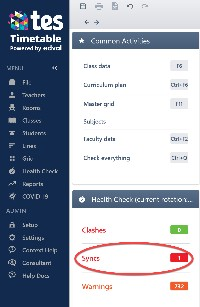
To view these errors go to Health Check > Syncs
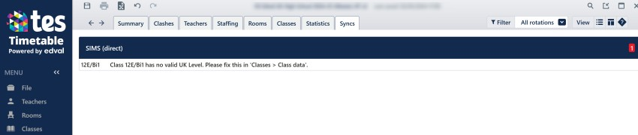
Resolve all errors before proceeding. Please contact us if you have difficulty resolving any issues.
The main causes for errors in the sync are
1) Class **** has no valid UK Level. Please fix this in 'Classes > Class data>'

The column UK Level MUST be populated the valid codes, please note it is case sensitive. The linked document belowprovides the full list of codes used by SIMS. (This equates to the Levels in Nova T).
https://help.tes.com/support/solutions/articles/75000151759-05-tes-sims-current-uk-levels
2) Class **** has no SIMS Subject. Please fix this in 'Classes > Class data'

In this case the Official Course column is empty, this case it should be "En".
3) Course En is missing a description. Please fix this in 'Setup > Subjects > Official Course data".
To access the Official Course Data push the black box on the right side of the screen,

The screen below a description for En must be entered
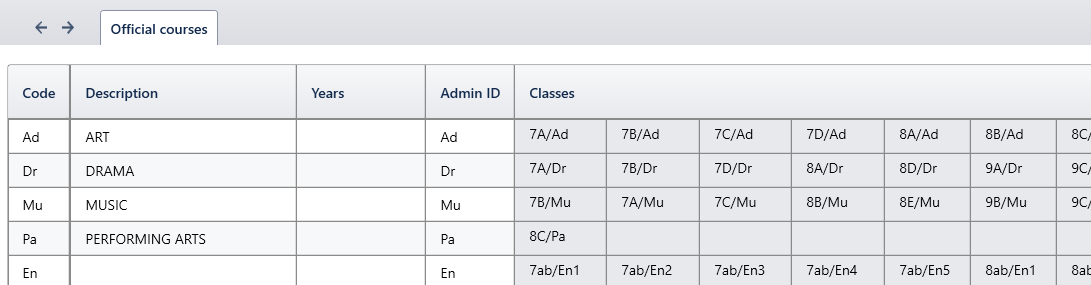
Ensure that every course has a description that has classes linked to the code.
Note: that the description itself is unimportant, it is simply a requirement from SIMS that this field is not blank.
4) "# 10a/bi1+1" Curriculum plan object name should be 10 character or less: # 10a/bi1+1"
All blocks in the Curriculum Plan should be clearly labelled to facilitate easier Curriculum Assignments in SIMS. Labelling these at a later stage can sometimes be problematic and therefore we recommend you spend time checking these prior to the initial sync
Classes > Curriculum Plan
View > Show Hidden Labels (Make sure that Sub-classes are unticked at this stage.)
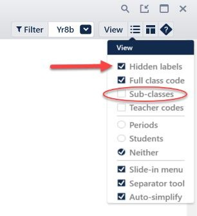
Everything you see on screen now will appear in SIMS and any untidy labels should be corrected at this stage.
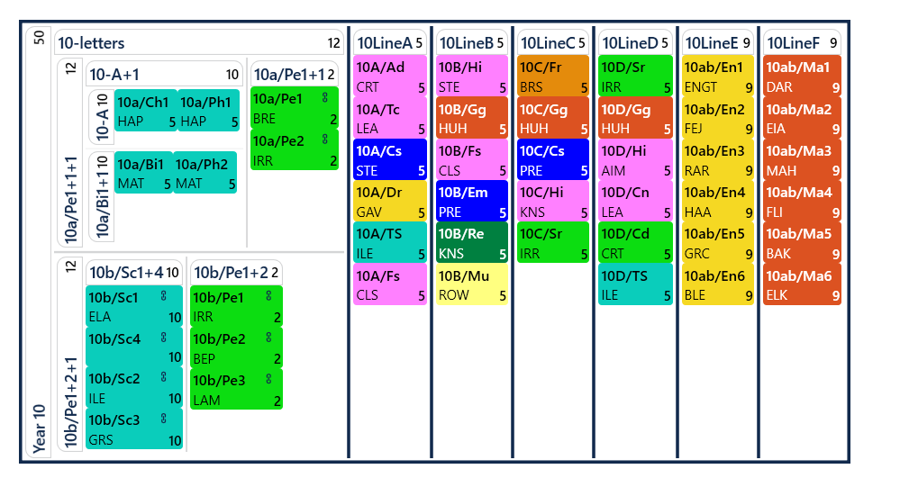
Note: There are two types of labels which appear in the curriculum plan: those to the left of an object and those above an object. SIMS requires that labels to the left of an object should have a maximum of 10 characters.
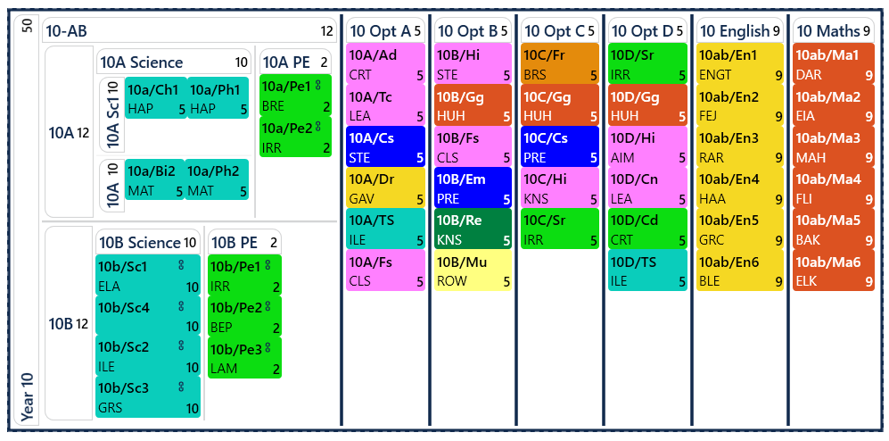
It could be changed to look something like this
5) "****" Lead Teacher cannot be assigned to a class with a TeacherPref None

6) "****" Class requires a Lead Teacher

Both these relate to sub-classes and their MUST be no red boxes in the Lead Teacher Level, the teacher who will have responsibility for running the course should be set as the lead teacher as in this example.

All sub classes MUST have a lead teacher, they can not be shared. In SIMS this is the teacher that will own the Assessment Marksheets and Registers.
Was this article helpful?
That’s Great!
Thank you for your feedback
Sorry! We couldn't be helpful
Thank you for your feedback
Feedback sent
We appreciate your effort and will try to fix the article