TABLE OF CONTENTS
Preamble
To generate lines, schools must first set up 'datasets' to manage their data and collect student choices, whether for subject selections, sporting preferences, or even voting activities.
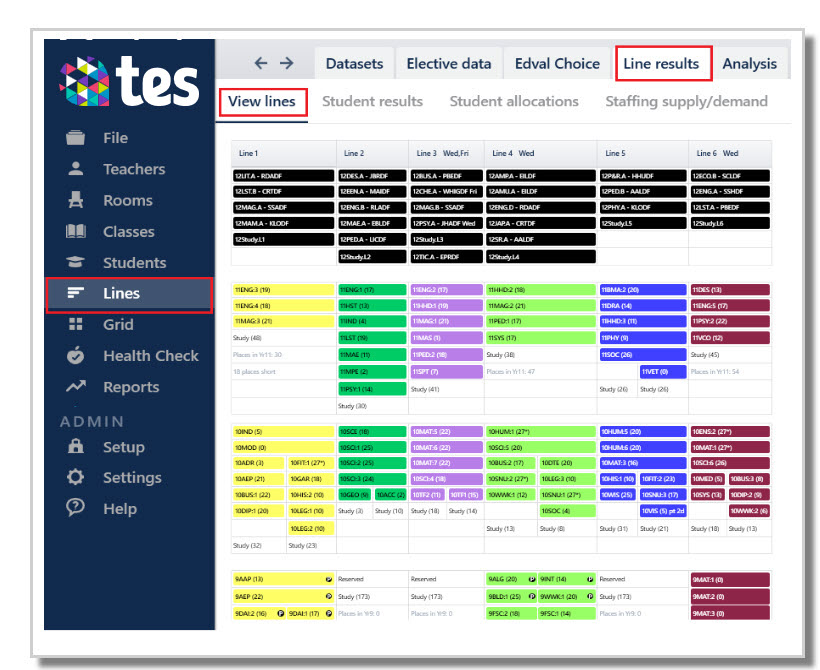
Datasets can be set up in 2 ways
Single year level
- Students select courses from within their own year level's subject options.
- Lines can be generated independently of other datasets, or around existing lined classes.
For example, a Year 9 dataset will include Year 9 subjects only, and only Year 9 students can choose from these subjects.
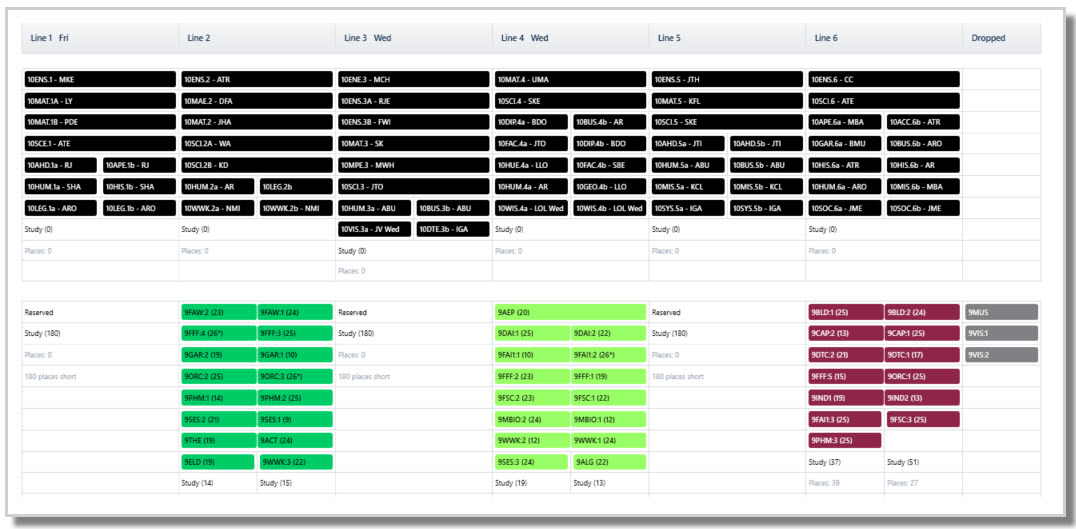
The below image shows a Year 9 dataset generated around an existing Year 10 set of lines:
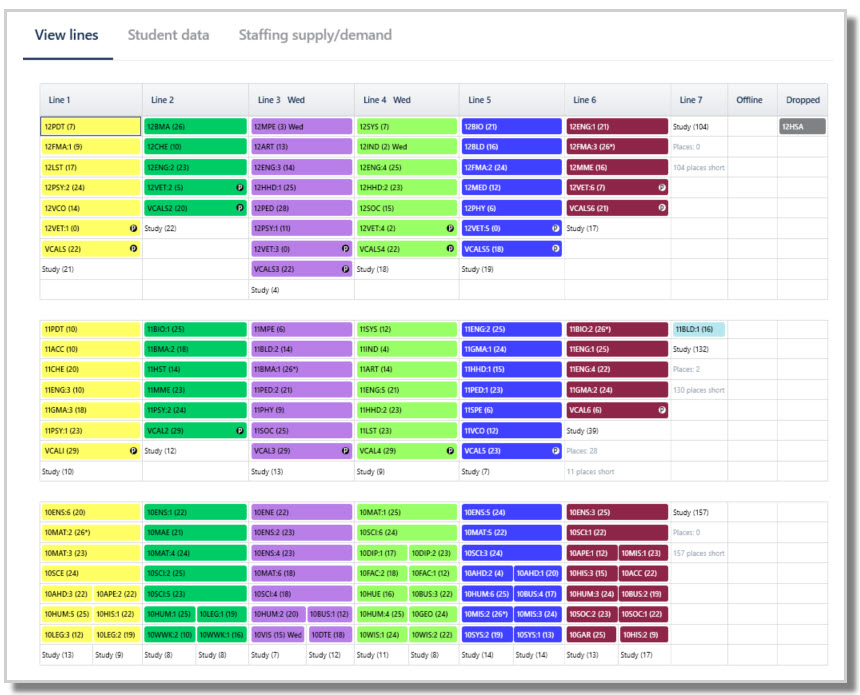
Multiple year levels (known as a 'multi-year dataset')
Lines are generated across multiple year levels at the same time to produce a complete set of cohesive lines.
Examples:
- Lines for Years 9, 10, 11 and 12 may be generated together, even though students will only choose subjects from their own year level.
- Students typically choose subjects from their own year level, but may also choose approved subjects from other year levels (e.g. Year 11 choosing some Year 12 subjects).
- Blocked subjects from junior years may also be included in lines (e.g. Year 7-8 Maths or Languages) even though there is no 'choice' about them. Any blocking that requires multiple staff or rooms can be considered at line generation stage to ensure a workable timetable solution.
NOTE
The use of multi-year dataset is recommended where possible as it enables a more cohesive and robust overall solution. Refer to: E10 - Set up multiple/composite year elective classes for line generation
Dataset types
There are five types of datasets that can be created: Electives, Sport, Votes, Permissions, General. Dataset types affect both the Courses set up views and requirements, and also the Timetable Choice forms (if using).
Differences between the datasets
| Elective | Sport | Votes | Permission | General | |
|---|---|---|---|---|---|
| Rules | ✓ | ✓ | ✓ | ✓ | ✓ |
| Class constraints | ✓ | ✗ | ✗ | ✗ | ✗ |
| Generate Lines | ✓ | ✗ | ✗ | ✗ | ✗ |
| Create classes | ✓ | ✓ | ✗ | ✗ | ✓ |
| Teacher/room consideration | ✓ | ✗ | ✗ | ✗ | ✗ |
Electives dataset
The Electives type dataset allows a user to select the number of lines to be created, and have full control over all aspects of generating lines, including setting rules, constraints, teachers and room resources, student choice and general parameters. Student subjects may be downloaded via Timetable Choice or imported via a csv file. Classes will be created once a set of lines is accepted by the user.
Sport dataset
A simplified dataset that can create one line only, via Timetable Choice or csv import. Schools might set up several Sport datasets per year, for example for termly sports. Single classes will be created for each option without any teachers/rooms.
Refer to:
E10 - Choice Form Type: Sport
E10 - Sport Selections and Classes: Options and Considerations
Votes dataset
A simplified vote collecting dataset, such as School captain voting via Timetable Choice. Line generation is not expected to be used so no class constraints to be defined.
Refer to E10 - Choice Form Type: Votes (Students)
Permission dataset
A simplified dataset aimed at seeking parental permissions via Timetable Choice. This dataset relies on family data being included in the .etz file. Permission is displayed in the Students table once the data is downloaded into the .etz file.
General dataset
A general dataset aimed at non-electives but where classes may need to be created.
Refer to E10 - Choice: Form Type: General
How to set up a dataset
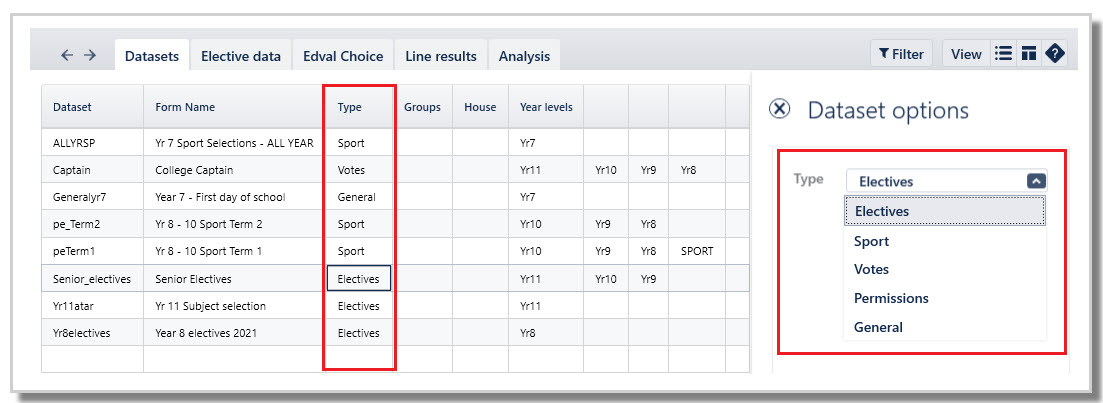
- Navigate to Lines > Datasets
- Enter the required fields.
Was this article helpful?
That’s Great!
Thank you for your feedback
Sorry! We couldn't be helpful
Thank you for your feedback
Feedback sent
We appreciate your effort and will try to fix the article