Setup>Subjects>Official Course Data
Official Course data
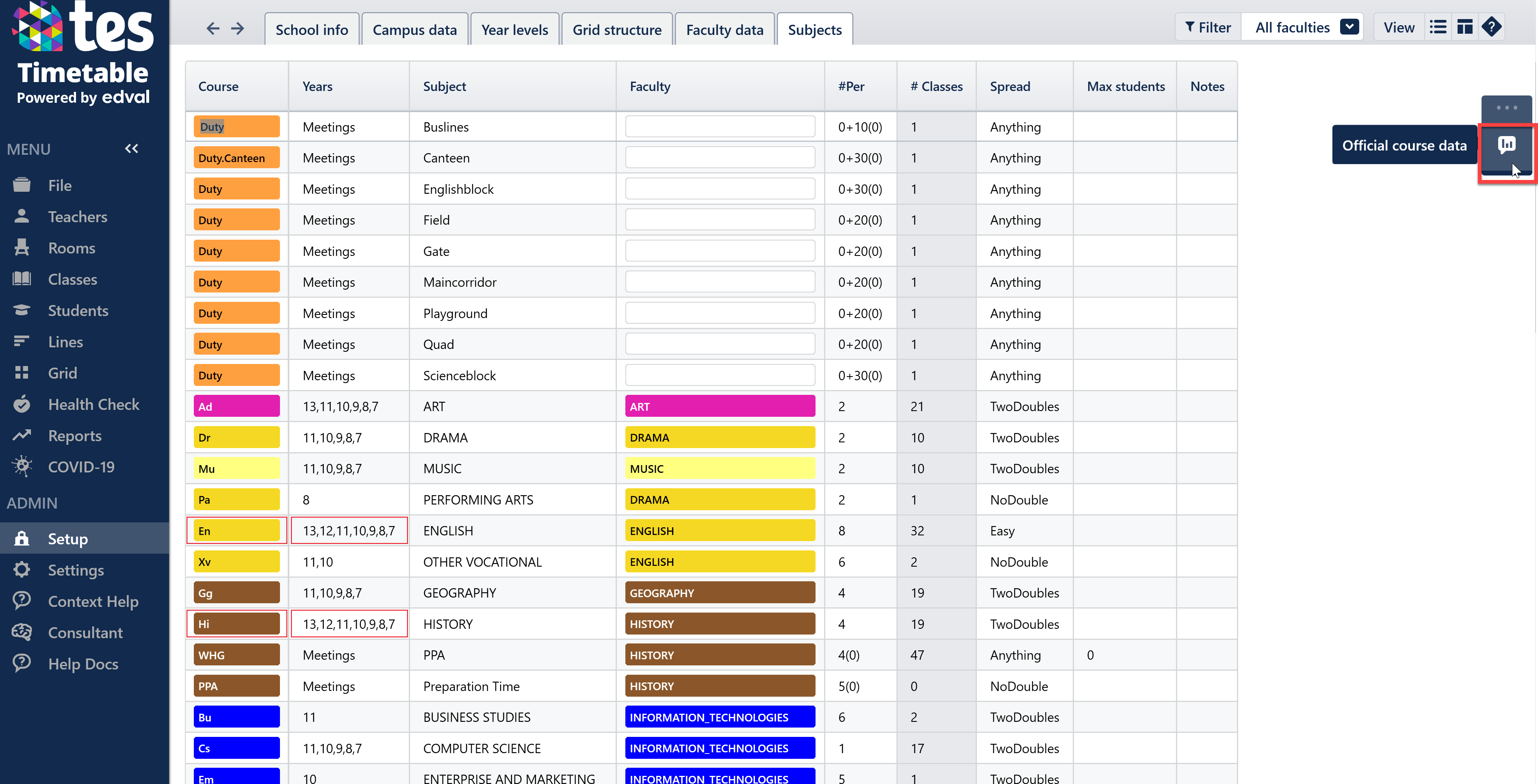
To access this area, go to Setup>Subjects and then click the blue button on the right hand side of the screen, as shown below.
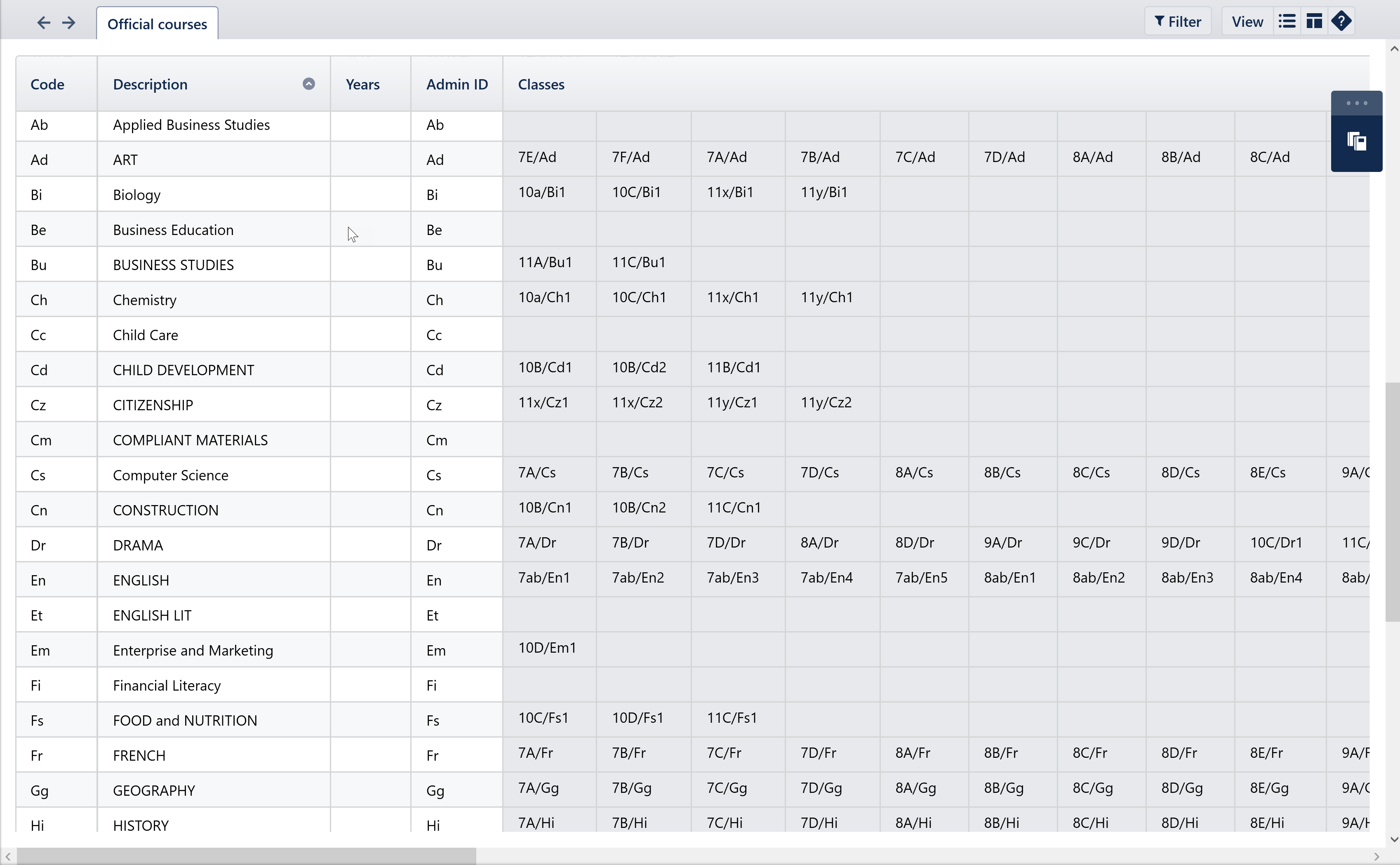
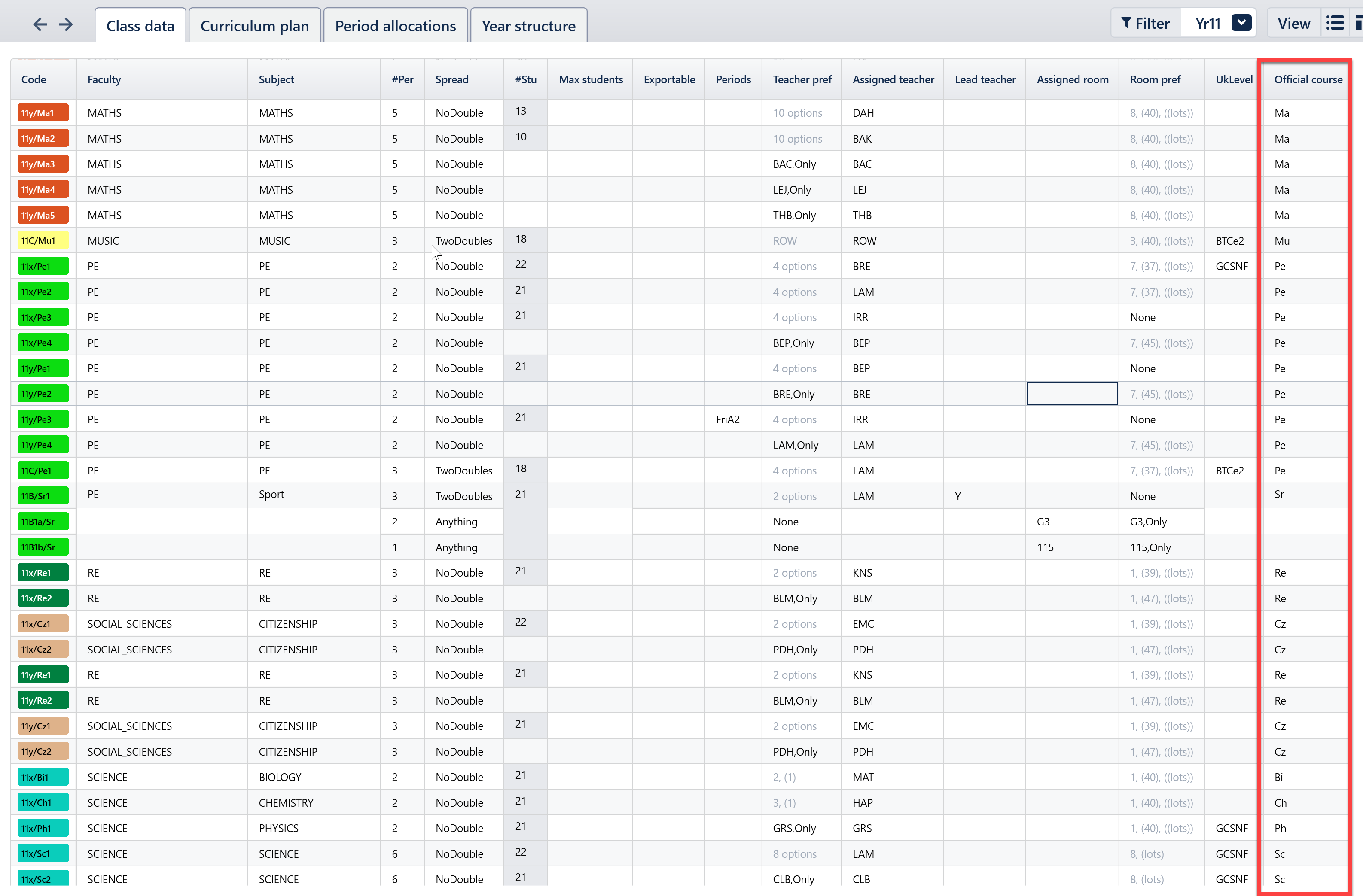
Within this screen, you can see a list of the Official Course Codes, Descriptions and Admin ID's for all your official courses, as well as the classes attached to each. You can edit the codes/descriptions/admin ID's in this screen but to move classes to a different course, you need to go into Classes>Class Data to the Official Course column on the far right and type in the correct code.
This screen is particularly important for SIMS and Bromcom users, as the Official Course Data screen must be accurate and complete in order to sync to these MISs.
Was this article helpful?
That’s Great!
Thank you for your feedback
Sorry! We couldn't be helpful
Thank you for your feedback
Feedback sent
We appreciate your effort and will try to fix the article